Tabs
Product Testing Header
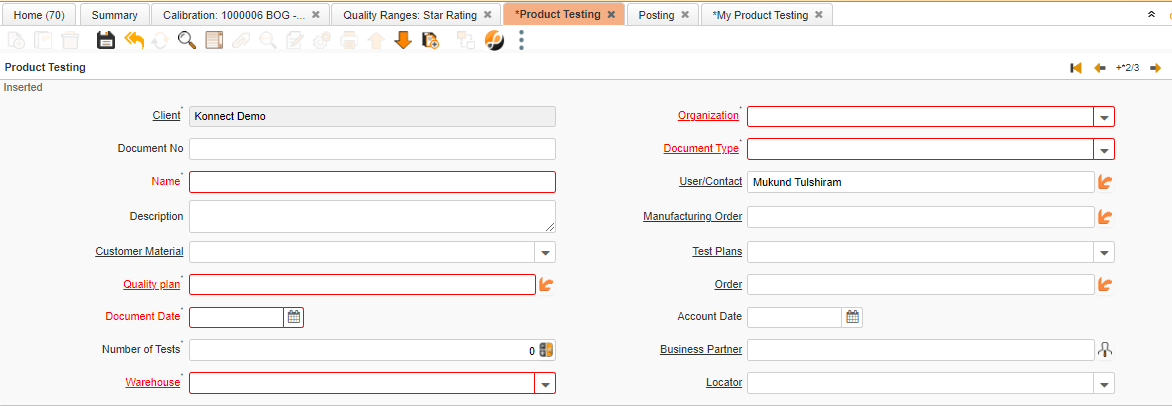
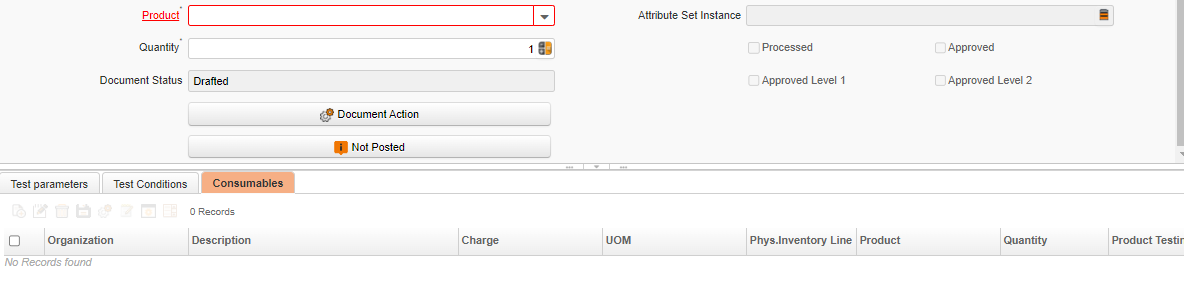
Critical Fields
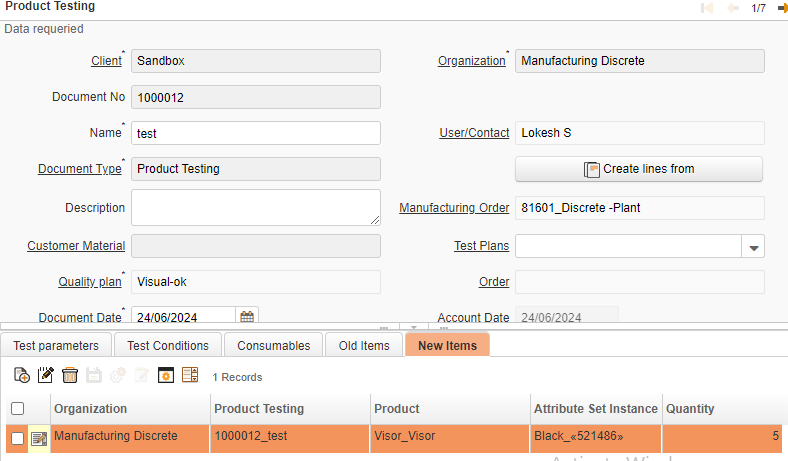
1. Name: Used to mention the Product testing name. The name is up to 60 characters in length.
2. User/Contact: This is selection field to choose User/Contact. you need to create new user/Contact in master.
3. Manufacturing Order: To select Manufacturing orders, These Manufacturing order document numbers will be displayed. The user has the option to select and proceed for a Product testing.
4. Quality Plan: This selection field allows you to select a quality plan. Which can be created in Quality plan master.
5. Document Date: Date of Document
6. Warehouse: Product storage purpose, Select a warehouse where the final product is stored.
7. Product: To select the product type an item, you can select the multiple products in this line item
8. Quantity: Quantity of product to be Tested.
Critical & onetime setup fields:
1. Organization: This Field is used to select the organization
2. Document Type: This Field is used to select the type of the document that you are going to process
Non-Critical Fields
1. Customer Material: It is a List view field to choose Customer Material. Customer Material is a Master data.
2. Test Plans: It is a List view field to choose Test Plans Which is Master data.
3. Order: Product testing is to be done according to sales/purchase order transaction.
4. Account Date: The Accounting Date indicates the date to be used on the General Ledger account entries generated from this document. It is also used for any currency conversion.
5. Number of Test: Number tests to be execute.
6. Business We can select existing/new Business Partner here and this field is used to maintain Business Partner.
7. Locator: Warehouses can have several locators, which are listed under each one. Using this field, the user can choose the locator
8. Attribute set instance: To Select Attributes of product such as brand, color, specification, etc.
Test Parameters
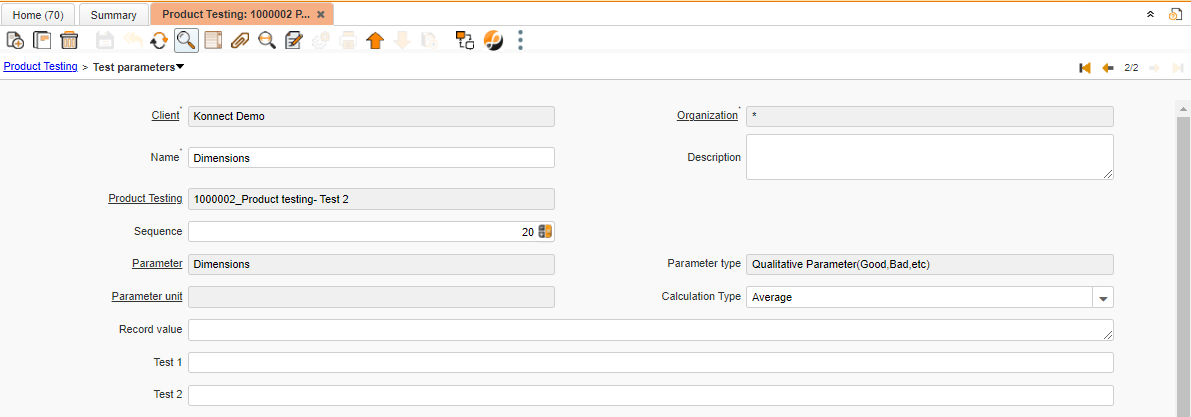
Critical Fields
Non-Critical Fields
1. Name: Name of test parameter
2. Description: To note Specifics required with documents and to describe other important information.
3. Calculation Type: To choose calculation type for test parameters
3.1. Average
3.2. Maximum
3.3. Minimum
3.4. Percentage of Successful Values
3.5. Sum
4. Record value: To keep details of recorded value.
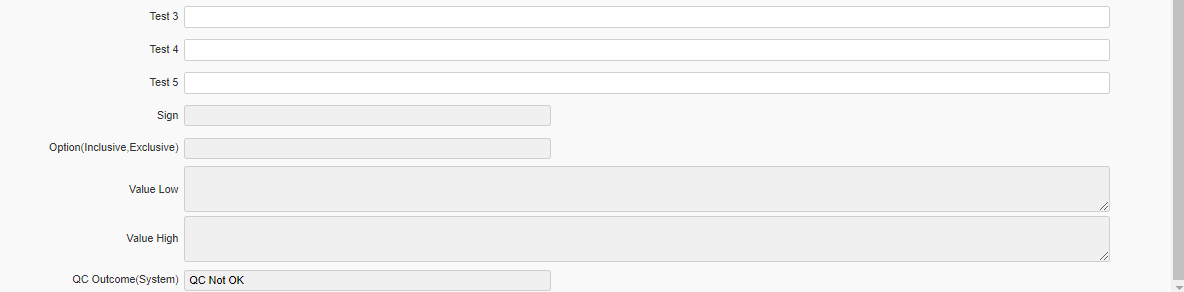
5. Test : Automatically, based on the number of tests given in the header tab, this field updated.
Auto-updated Fields
1. Client
2. Organization
3. Product Testing
4. Sequence
5. Parameter
6. Parameter type
7. Parameter unit
8. Sign
9. Option(Inclusive,Exclusive)
10. Value Low
11. Value High
12. QC Outcome(System)
Test Conditions
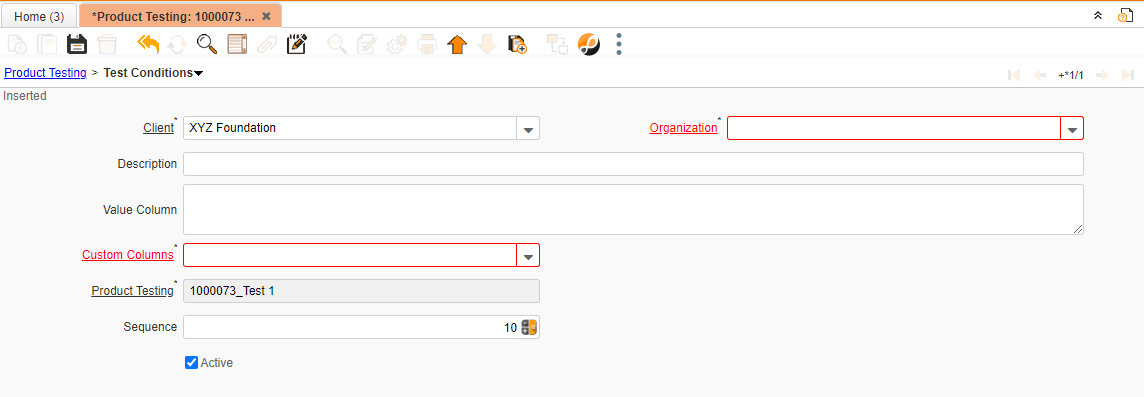
Critical Fields
1. Organization: This field is used to select the organization
2. Custom Column: User can set custom details required with document and it is a master data. once master is uploaded user can select that custom columns for Product testing.
Non-Critical Fields
1. Description: To note Specifics required with documents and to describe other important information.
2. Value Column: To note Values of column Manually.
Consumables
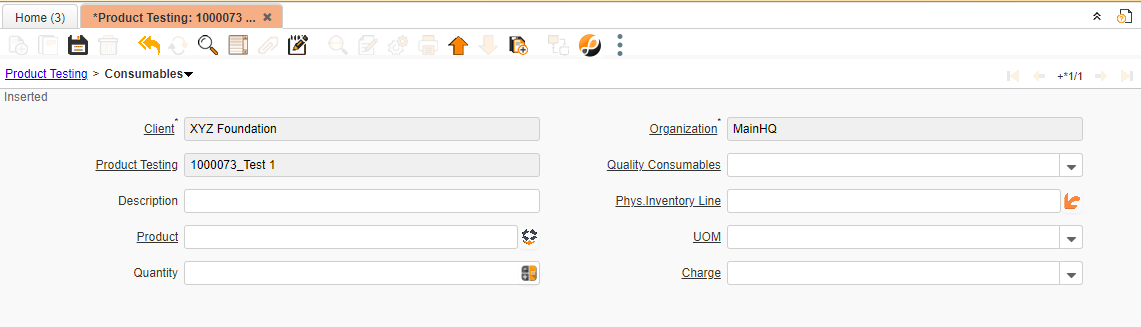
Critical Fields
1. Quality Consumable: This is selection field to select quality consumable which is master data.
2. Phy Inventory Line: Consumables which is used for product testing can be selected through physical inventory line here.
3. Product: Consumable product types to choose
4. UOM: The record will populate from the product and we can change the UOM manually if UOM conversion for the product.
5. Quantity: Product Quantity that needs to be tested
Non-Critical Fields
1. Description: To note Specifics required with documents and to describe other important information.
2. Charge: Charge is a Master data. to apply specific charge to document this field is required.
Old Items
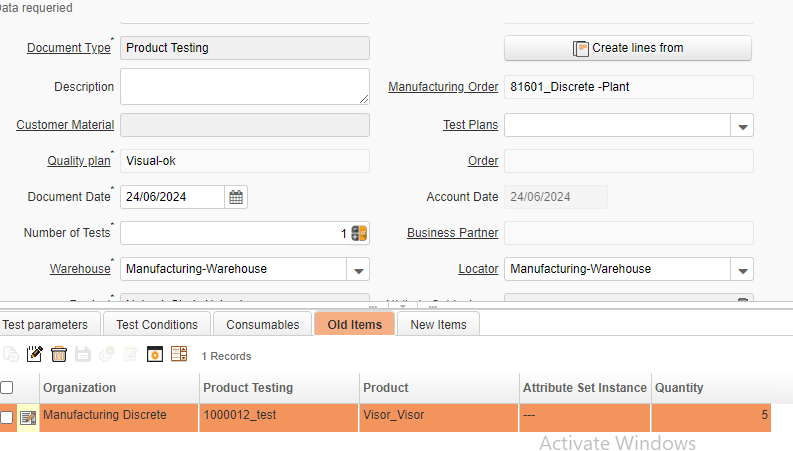
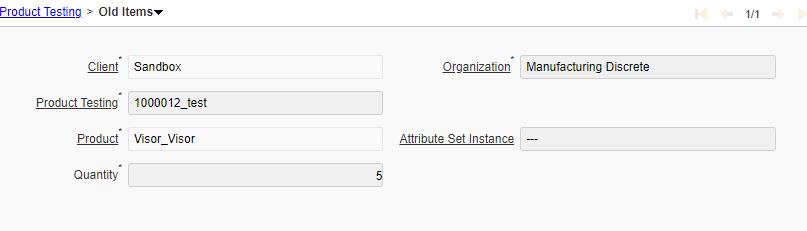
This field is automatically updated after the documentation is prepared. Once you prepare the document the damaged or re-production FG product mapped in the old items tab.
New Items
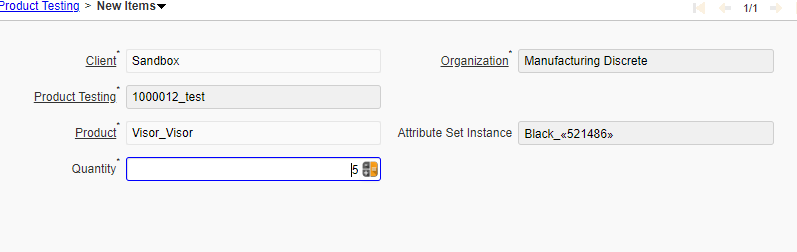
In this field you need to give new product which one you need to replaced.